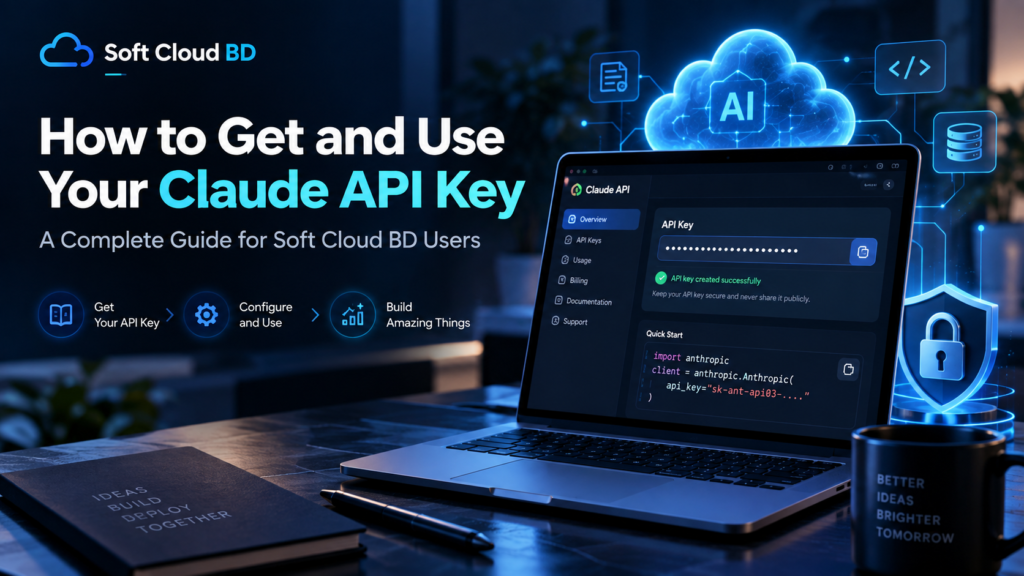
Introduction
When it comes to leveraging advanced AI models within your Soft Cloud BD projects, the Claude API key acts as your passport to a world of powerful language processing capabilities. In this friendly, comprehensive guide, we will walk you through exactly what a Claude API key is, why it matters for Soft Cloud BD users, and how you can obtain, configure, and protect it. By the end of this article, you will have a clear, actionable roadmap for integrating Claude’s AI services into your workflow while keeping your credentials safe.
What Is a Claude API Key?
A Claude API key is a unique string of characters that authenticates your application when making requests to Anthropic’s Claude API. Think of it as a secret handshake that tells the service, “I’m a trusted client, please let me interact with Claude’s language model.” Without this key, your application cannot call the API, and you won’t be able to harness Claude’s capabilities such as text generation, summarization, sentiment analysis, or conversational AI within your Soft Cloud BD environment.
API keys are generated by the service provider (in this case, Anthropic) and are tied to a specific project or account. They enable usage tracking, rate limiting, and security auditing, ensuring that only authorized users can access the powerful AI resources.
Why You Need a Claude API Key for Soft Cloud BD
Soft Cloud BD often serves developers and businesses looking to embed intelligent features into their applications. Integrating a Claude API key opens the door to several valuable use cases:
- Automated Content Generation – Produce blog posts, product descriptions, or customer support replies on the fly.
- Sentiment Analysis – Gauge user feedback or social media comments to inform business decisions.
- Chatbot Enhancement – Provide a more natural, context‑aware conversational experience for end users.
- Data Summarization – Quickly distill long reports, meeting notes, or research papers into concise summaries.
By embedding the Claude API key into your Soft Cloud BD deployment, you ensure that each request is authenticated, billed correctly, and logged for compliance. This integration also allows you to take advantage of Claude’s robust safety filters and ethical guidelines, which are especially important for Bangladesh‑focused markets where cultural nuance can be critical.
How to Obtain a Claude API Key
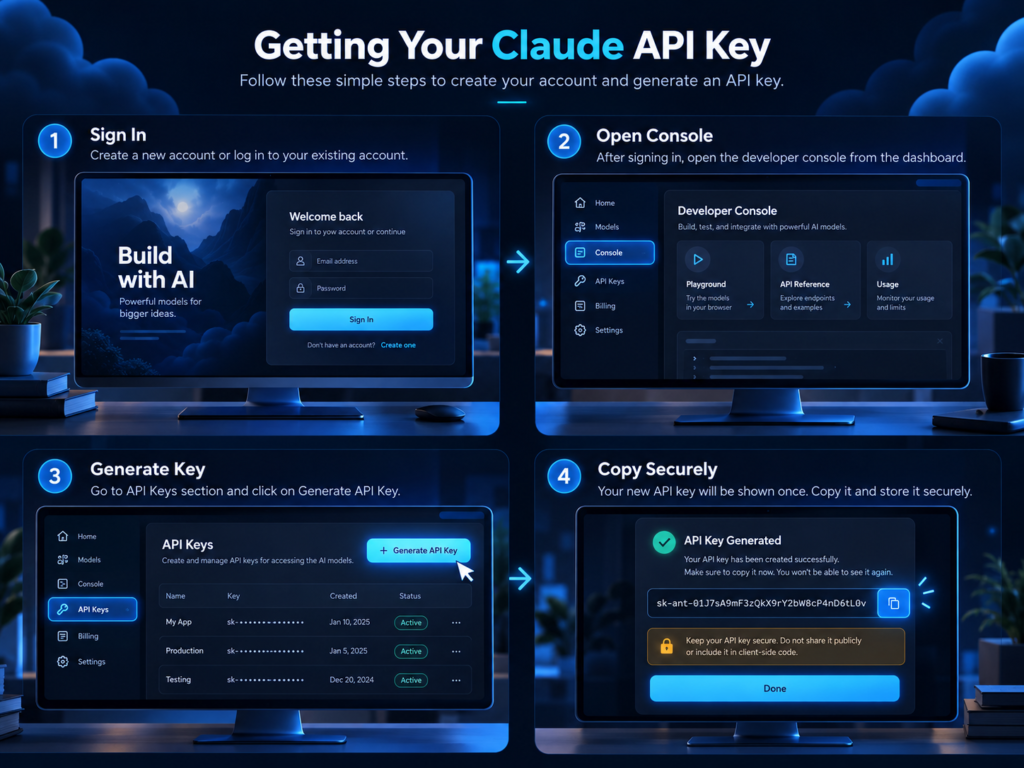
The process of getting your first Claude API key is straightforward and can be completed in just a few minutes.
Step 1 – Create an Anthropic Account
Visit Anthropic’s official website and click the “Sign Up” button. Provide your email address, create a strong password, and verify your account via the confirmation link.
Step 2 – Navigate to the API Keys Section
Once logged in, locate the dashboard and select “API Keys” from the left‑hand menu. This area is where you can view, generate, and manage all keys associated with your account.
Step 3 – Generate a New Key
Click the “Create New Key” button. Give your key a descriptive name (e.g., “Soft Cloud BD Production”) so you can easily identify its purpose later. Anthropic will display the key only once, so copy it immediately and store it securely—preferably in a password manager or an encrypted notes file.
Step 4 – Set Usage Limits (Optional)
You can optionally set daily or monthly request limits, IP whitelisting, or other constraints to control costs and enhance security. These settings are especially handy if you plan to integrate the key across multiple Soft Cloud BD environments.
Configuring Your Key in the Development Environment
After obtaining the key, the next step is to configure it within your Soft Cloud BD project. The exact method depends on your runtime and deployment preferences.
Using Environment Variables
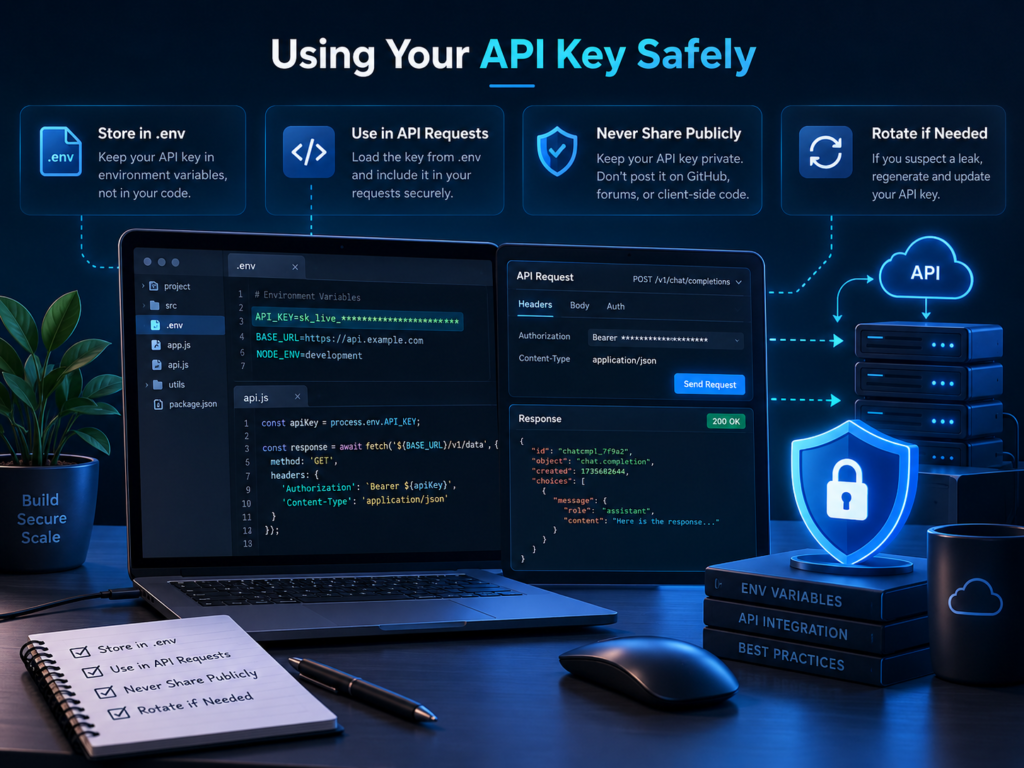
The most common practice is to store the key as an environment variable. For example, in a Node.js project you might run:
export CLAUDE_API_KEY="your_copied_key_here"
Then, in your application code, you can access it via process.env.CLAUDE_API_KEY. This approach keeps the secret out of the source code and allows easy swapping between development, testing, and production environments.
Using a Configuration File
If you prefer a more explicit configuration, create a .env file (or a JSON config) in your project root:
{
  "claude_api_key": "your_copied_key_here"
}
Make sure the file is added to your .gitignore to avoid accidental commits.
Integrating with Soft Cloud BD Services
Soft Cloud BD may provide helper libraries that abstract the authentication process. In such cases, you typically pass the key to the library initializer, like:
const claude = require('claude-api');
claude.configure({ apiKey: process.env.CLAUDE_API_KEY });
Consult Soft Cloud BD’s documentation for the exact syntax for your preferred language (Python, Java, Go, etc.).
Security Best Practices for Managing Your Claude API Key
Security should never be an afterthought. Here are several friendly reminders to keep your Claude API key safe:
- Never hard‑code the key in source repositories. Use environment variables or secret management tools.
- Limit access by creating separate keys for development and production. This reduces the risk of accidental exposure.
- Enable IP whitelisting if the service supports it, restricting usage to known servers.
- Rotate keys regularly – consider a quarterly rotation schedule or immediately if you suspect a breach.
- Monitor usage through Anthropic’s dashboard. Unusual spikes may indicate misuse.
Additionally, integrate your key into a secrets manager like AWS Secrets Manager, Azure Key Vault, or HashiCorp Vault if you are already using such services within Soft Cloud BD. This provides auditable access controls and automatic rotation capabilities.
Common Troubleshooting Tips
Even with a smooth setup, you may encounter occasional hiccups. Here are some common issues and quick fixes:
Key Not Recognized
Double‑check that the key is correctly copied (no leading/trailing spaces). Ensure the environment variable name matches exactly what your code expects.
Rate Limiting Errors
If you receive a 429 Too Many Requests error, your key may have hit a usage cap. Verify the limits set in the Anthropic dashboard and consider implementing exponential backoff in your retry logic.
Network Connectivity
Make sure your application can reach api.anthropic.com. Firewalls or corporate proxies sometimes block external API calls.
Invalid Authentication
When you see a 401 Unauthorized response, the key might have expired or been revoked. Generate a new key and update your environment variables immediately.
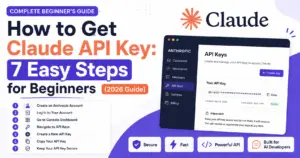
How to Get Claude API Key: 7 Easy Steps for Beginners (2026)
Real‑World Integration Examples
Seeing the Claude API key in action can demystify its utility. Below are two practical scenarios you might encounter when building with Soft Cloud BD.
Example 1 – Automated Blog Post Generator
Suppose you run a news portal hosted on Soft Cloud BD. You want to generate article summaries from raw text. A simple Python snippet might look like:
import os
from claude_api import Claude

api_key = os.getenv('CLAUDE_API_KEY')
client = Claude(api_key=api_key)

prompt = "Summarize the following article: ..."
response = client.complete(prompt=prompt, model='claude-v2')
print(response['completion'])
Notice how the key is retrieved from the environment, keeping it out of the source code.
Example 2 – Sentiment Analysis for Customer Feedback
Within a Soft Cloud BD‑hosted e‑commerce platform, you might want to tag each support ticket as positive, neutral, or negative. Using a Node.js service:
require('dotenv').config();
const { Claude } = require('claude-api');

const client = new Claude({ apiKey: process.env.CLAUDE_API_KEY });

async function analyzeSentiment(text) {
  const prompt = `Determine the sentiment of this feedback: "${text}". Reply with only "positive", "neutral", or "negative".`;
  const result = await client.complete({ prompt, model: 'claude-v2' });
  return result.completion.trim().toLowerCase();
}
These examples illustrate how the Claude API key serves as the gateway to powerful AI capabilities while staying integrated within a Soft Cloud BD ecosystem.
Best POS Software for Shop in Bangladesh (2026 Guide & Pricing)
Frequently Asked Questions
What if I accidentally share my Claude API key?
If you have exposed your key publicly, revoke it immediately from the Anthropic dashboard and generate a new one. Rotate any keys that may have been derived from it.
Can I use the same key across multiple Soft Cloud BD projects?
Yes, you can reuse the same key, but it is safer to create distinct keys per project to isolate usage and simplify rotation.
Do I need a paid plan to get a Claude API key?
Anthropic offers both free and paid tiers. The free tier is sufficient for experimentation, while paid plans provide higher rate limits and additional features.
How do I monitor my API usage?
Log into your Anthropic account and navigate to the “Usage” tab. You’ll see detailed metrics per API key, including request counts and token consumption.
Conclusion
Acquiring and wisely managing your Claude API key is the cornerstone of unlocking advanced AI capabilities within Soft Cloud BD applications. By following the step‑by‑step instructions outlined above—creating an account, generating the key, configuring it securely, and adhering to best practices—you’ll be well positioned to integrate Claude’s powerful language model into your workflow safely and efficiently. Remember, the key is not just a string of characters; it’s the bridge that connects your Soft Cloud BD environment to cutting‑edge AI services, enabling everything from automated content generation to deep sentiment analysis. With this guide as your reference, you can confidently explore, develop, and scale AI‑driven solutions tailored to the Bangladesh market and beyond.